
ThreatDeflect





Threat analysis tool with a hybrid Python + Rust engine that automates IOC, repository, and file lookups across multiple sources, generates reports, and creates summaries with local AI.
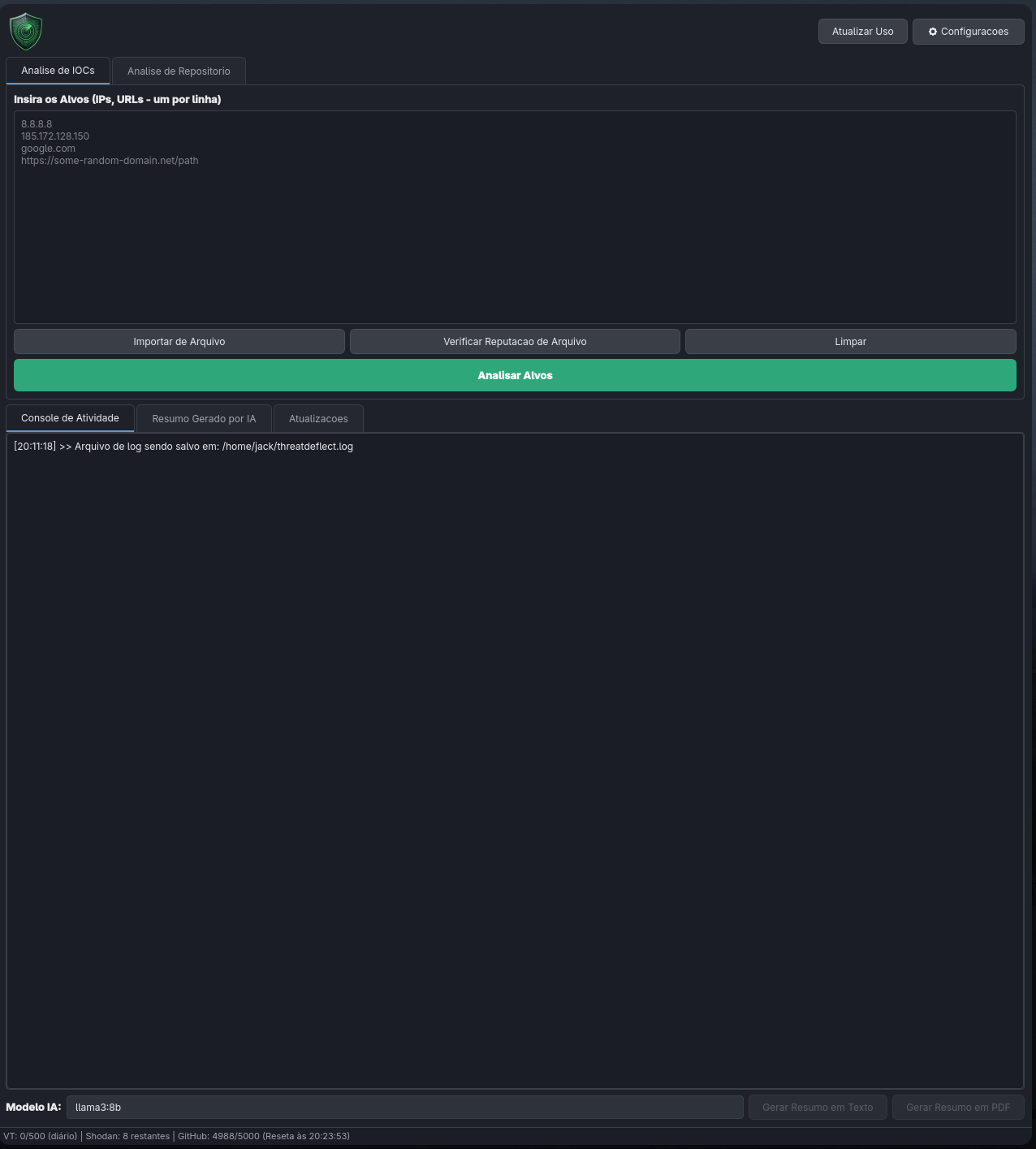
Get Started in 30 Seconds
1. Download the executable for your system from the Releases page
2. Run the file (see Installation for platform-specific instructions)
3. Go to Settings and enter your VirusTotal key to start analyzing
What Does ThreatDeflect Do?
Three Analysis Modules
| Module | What it does | Sources queried |
|---|---|---|
| IOCs | Bulk lookup of IPs and URLs | VirusTotal, AbuseIPDB, Shodan, URLHaus |
| Repositories | Scanning of GitHub/GitLab repos | Secrets, dependencies, IOCs, suspicious patterns |
| Files | Reputation by SHA256 hash | VirusTotal, MalwareBazaar |
Highlights
- Dual interface: full GUI (PySide6) and robust CLI (Typer/Rich)
- Hybrid Rust + Python engine: secret detection with native performance via PyO3
- Local AI: executive summaries with Ollama, no data sent to the cloud
- Bilingual: Portuguese (BR) and English, configurable via CLI or GUI
- Reports: Excel (.xlsx) and PDF with detailed data
- Security: keys stored in the OS keyring, files are never uploaded (only hashes)
- 46 detection rules: AWS keys, GitHub tokens, Discord webhooks, reverse shells, crypto miners, and more
Navigation
| Page | Description |
|---|---|
| Installation | Executables, pip, uv, source code |
| GUI Guide | How to use the graphical interface |
| CLI Reference | All commands with examples |
| Rules Engine | rules.yaml, calibration, rule list |
| Rust Engine | Compilation and hybrid engine internals |
| APIs | How to configure VirusTotal, Shodan, etc. |
| Local AI | Ollama setup and recommended models |
| Contributing | How to contribute to the project |
| Changelog | Version history |